GALGAEY EZER
UX/UI designer
I was the UX/UI designer of this project.
This project was to design an app for 'Galgaley Ezer' workshop.
'Galgaley Ezer' is a non profit organization that help and assist teenagers in main crossroads of their life. The main focus of the organization is in high school kids, in order to give them support in the transition between being a high school kid to becoming a soldier, by giving them practical tools such as- time management, decision making, budget planning, interviews preparation and more.
During the workshop, the students were asked to set a goal they want to achieve and insert a weekly progress.
Together with the project manager, we designed and created powerful screens to help the children achieve their goals during the workshop.

The Problem
Students were not using their notebook to set their goal.
It was not accessible, they did not use their notebook and they were asked to
Our Goal
Our goal was to make a simple design a user can quickly insert his goals and progress during the week.
Because the user is having hard time focusing on his goal he has cognitive load that needs to be reduced by the design.
The Team
Inon | Developer
Tal | Product Manager
Chen | UX/UI designer
My Role
I was the UX/UI Designer.
I designed the screens from sketches to High fidelity prototypes.
I conducted user research including- interviews, Usability testing, and color research.
User Flow

Style Guide

UX & Design
Log in / Sign up
We wanted to create an easy experience that will meet user's mental model they have regarding 'Sign In' page. Therefore, we designed simple intuitive screen to allow the user flow to be clear.
We decided to create a 'remember me' function, to reduce time for users in their next visit. To keep user's privacy which is important, especially for this discrete content, we have made the user to write his personal password each time before starting to use the app.
In addition, this app is aimed for high school students that can use this information to bully one anther, this is why we had a focus of keeping user's privacy.


Pop up
It was important to us to give users feedback after submitting their input.
This app goal is to help students accomplish their goals and add every week their progress.
In operant conditioning, positive reinforcement involves the addition of a reinforcing stimulus following a behavior that makes it more likely that the behavior will occur again in the future. When a favorable outcome, event, or reward occurs after an action, that particular response or behavior will be strengthened.
Therefore we decided to give them positive feedback that will increase visits in the app.


Set a goal Screen
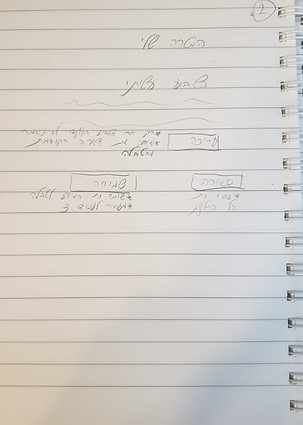
We wanted to make the main task easy to accomplish, therefore we designed it as one page with all function.
After conducting user research, we discovered that setting the goal is the main task of the workshop- it has to be bold and separate from other actions. In addition, the idea is that the user will follow one goal and ideally will not change it. Therefore, in the final design we decided to separate the actions from one another and give- setting the goal action- focus, and clean screen, to reduce cognitive load.

First Iteration

Final Design


Edit Page
At the beginning edit page was inserted in the main page, but after conducting usability test, we understood this is a distraction for them when writing their progress, so we decided to design it as a secondary button.
This step required attention that can be interrupted by to many options.
Therefore, we decided to design 'Home Page' that will let users a macro visualization of their progress with the ability to edit their inputs any time. This step is supported by the Signal Detection Theory- that the contrast between stimuli to noise has to be noticeable:
Less noise, strong stimuli ■ Important information should stand out


Research
Color research
Yellow — Yellow is happy, optimistic, and cheerful. It’s popular in designs for children and adults alike. Darker shades of yellow become gold, which is associated with wealth and success.
In this app we tried to inspire the users, to help them accomplish their goal. This goals are associated with yellow- gold color.
User research
We conducted user interviews and observations to see how teenager interact with their phone, which app they like the most and why.
We also asked children how were in the workshop last year to understand what they did in order to achieve their goals.

Usability Testing
We gave potential users to try a high fidelity prototype and redesign according to the feedback:
-
When working with teenagers, and personal information- privacy is important
-
Separating the goal setting task from the weekly progress update to reduce confusion and regret (some users decided they want to change their goal after writing their progress, which we don't encourage doing so in the workshop).
-
Edit option as the main focus- create a situation where users wanted to keep editing their progress or goals.
Summary
In this project, we were trying to create the best experience for high school students.
High school kids uses easy and quick platforms that does not take to much effort to use. This was the main focus in this project.
As human being, we have limited recourses. While trying to achieve an important goal, we waste a lot of energy, which is one of our limited resources. Creating an easy to use platform, users can lower their attention (another important limited resource), and save energy. This is the reason why we decided to design this app as easy and understandable as possible.
In the future we will be working on a teacher dashboard that will allow him to be in control of his students progress.
LET'S WORK TOGETHER
Phone number
054-6481469
Resume
